To get straight to the answer to this question, personally I use SharePoint folders to connect to excel data 90% of the time. If you’d like to know how to do this and why I think this is the best option, please read ahead.
In a previous post (How do I get refreshes to work in Power BI?), I discussed the importance of storing your excel within the cloud, a necessity if you want to refresh your data on Power BI online. I ran through an example of how to set this up when you store your file in OneDrive, but also mentioned a SharePoint folder being an option. In this post I’ll explain the Pros and Cons and which is my preferred method.
When connecting to data within Power BI on the desktop, it’s important to note that for every source you connect to, Power BI remembers the details and authentication used. Each time a web connection is used, separate details and authentication is stored, and the same is said for every SharePoint folder connection.
As it might now be starting to become clear, for every excel file stored in OneDrive, as separate connection string must be used, however a single SharePoint Site URL string can be used for all files stored in that directory.
Connecting with OneDrive
Once your excel is saved in OneDrive, it is ready to connect into Power BI. You must connect the file to Power BI using the Web option, providing the path of the file, and removing a set of special characters at the end of the URL String. Provide your authentication method and permission level path and then you’ll be able to use the data.
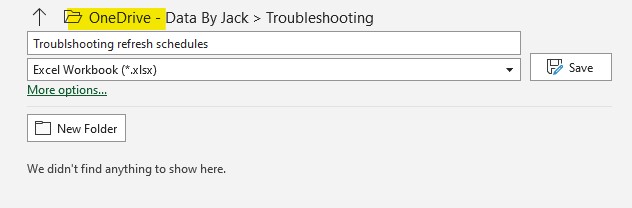
- Save your excel file in OneDrive
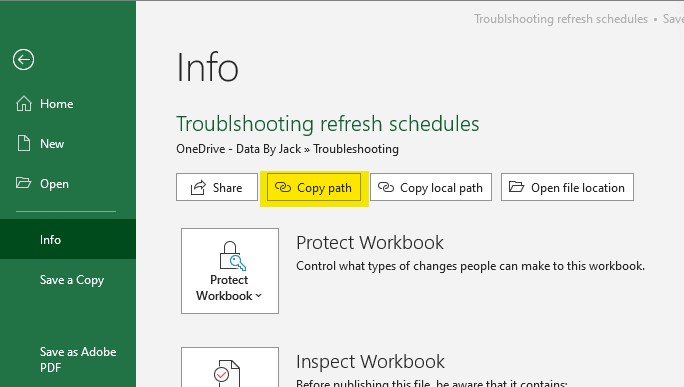
- Once you have saved it to OneDrive, got to file>info and copy the path of the excel file
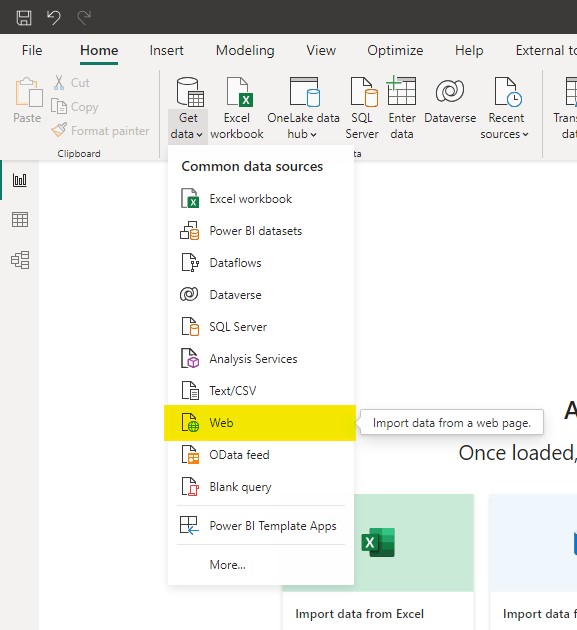
- Once you have the Web URL, go back to Power BI and connect to your data by using the web
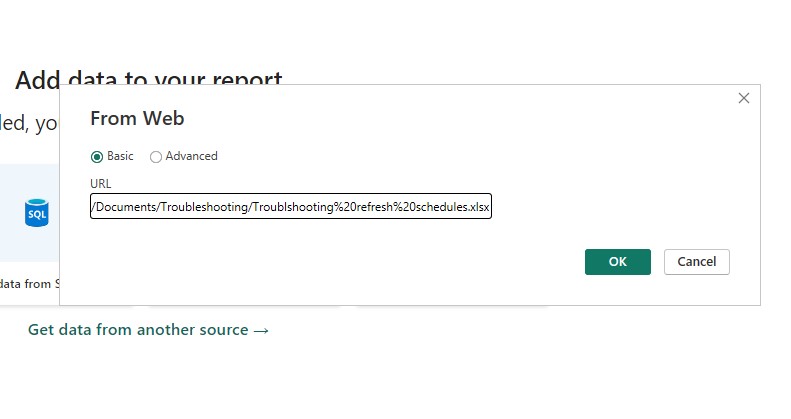
- Paste in the URL of your excel file, and make sure you remove the following [?web=1] trailing text at the end of what you paste so it ends in .xslx or which ever excel file format you saved it as
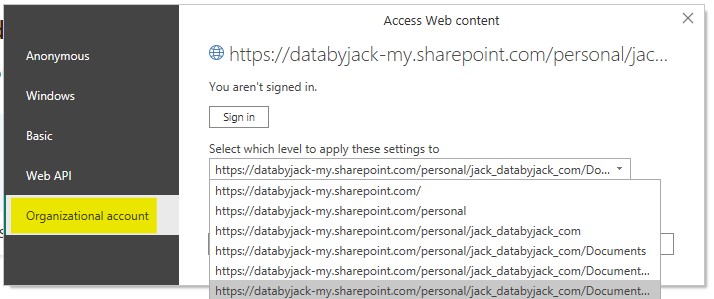
- A pop-up may then appear asking you to log into the content.
- Make sure Organisational account is selected,
- On the drop down menu, select the option at the bottom of the list
- Sign in with your windows account
- Connect to your data
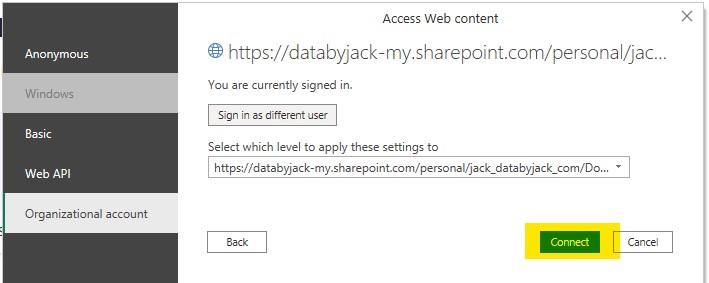
- You’re now ready to build your report
Connecting with SharePoint folder
On saving your excel in a SharePoint folder, it is ready to connect into Power BI. You must connect to Power BI using the SharePoint folder option, providing the URL of the SharePoint site.
- Go to the SharePoint site you’re working in, and save your excel file
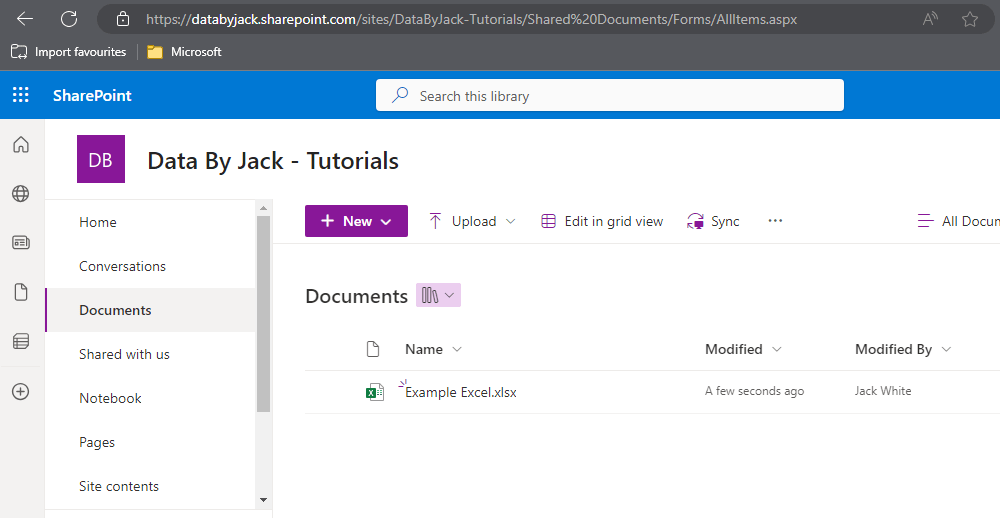
- Copy the site URL, which is usually [YourOrgName.sharepoint.com/sites/YourSharePointSiteName] and replace YourOrgName and YourSharePointSiteName with the site you’re working in
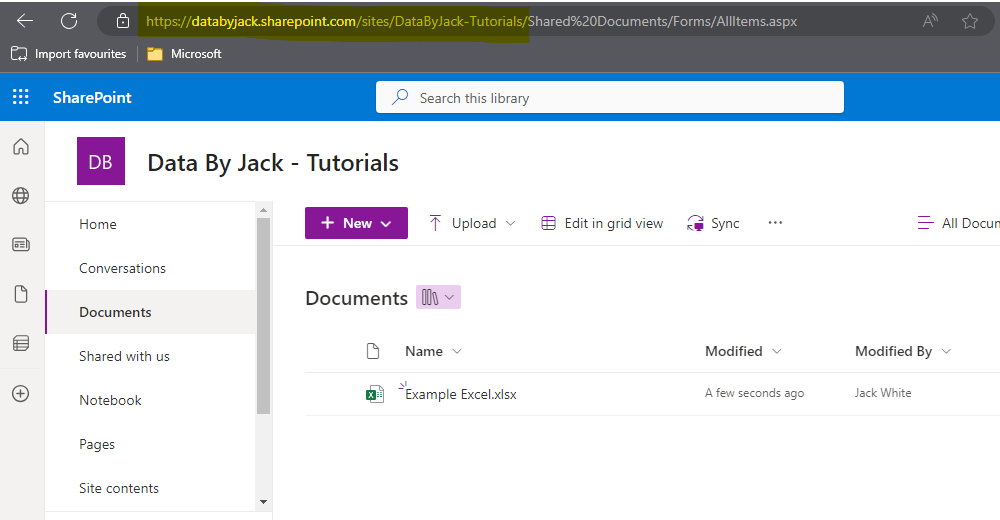
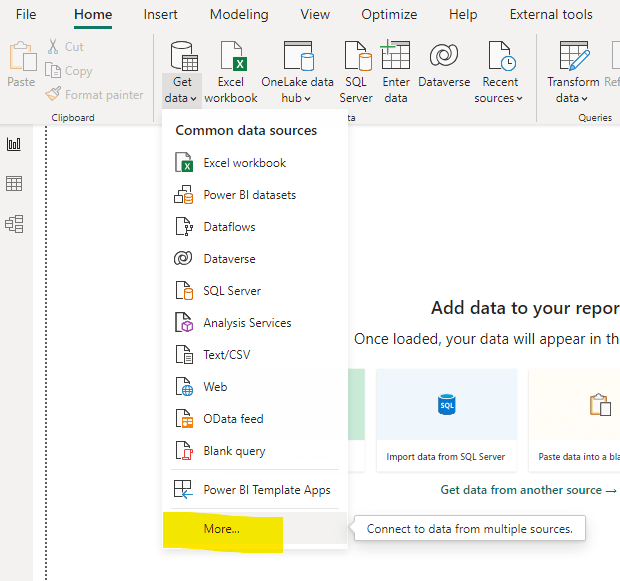
- Once you have the Site URL, go back to Power BI and connect to your data by using the SharePoint Folder. This can be found in Get Data>More…>Search for SharePoint Folder and connect
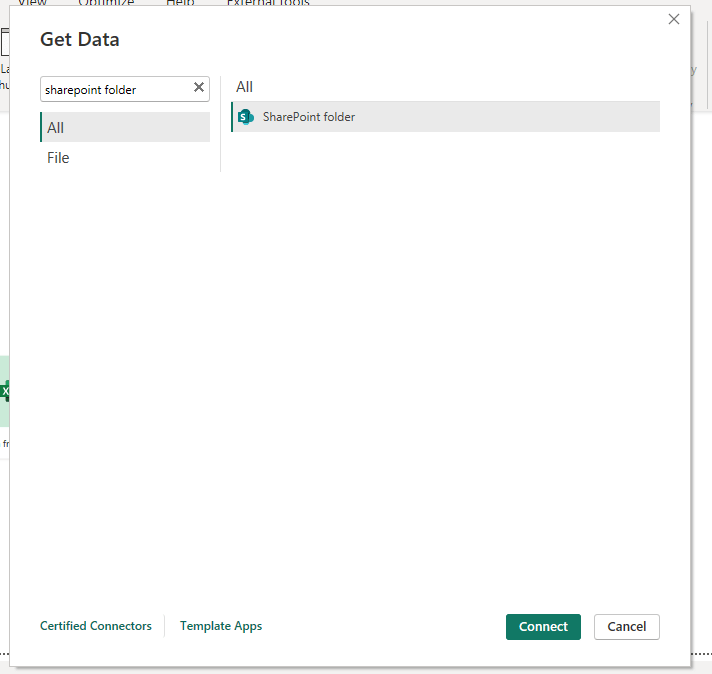
- Paste in the URL of your site when the popup appears
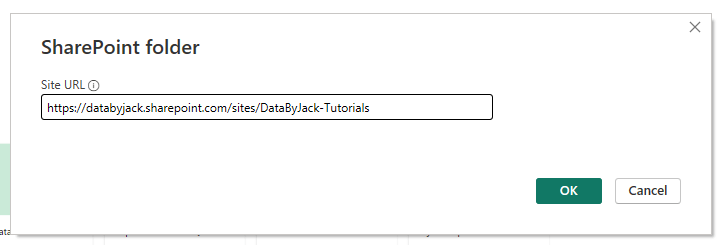
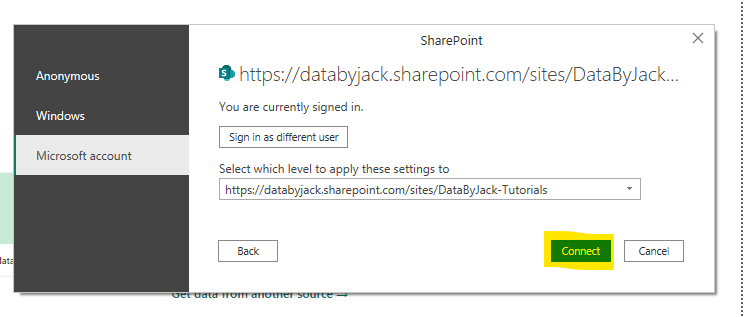
- A pop-up may then appear asking you to log into the content.
- Make sure Microsoft account is selected,
- On the drop down menu, select the option at the bottom of the list
- Sign in with your Microsoft account
- Connect to your data
- You’re now ready to build your report
My preferred method
The reason why I prefer using SharePoint folders is mainly due to the fact that you can add many excel files with the single SharePoint URL. If you have 10 excel files in a SharePoint folder, only one string is required, if they were stored in OneDrive, you’d have to sign in 10 times with 10 different Web URLs.
This is also has the added bonus of storing your files in a way that is ready to contribute with others, your colleagues can still use these excel files and add to your data if they are also within the SharePoint site
I still use OneDrive, but for personal projects or for quick tests.
What do you think? Do you have a preferred method of connecting to excel data not mentioned above? I would love to hear your thoughts in the comments below.
 Data by Jack
Leave a comment